Strava weight training
Your lifting,on Strava, automatically.
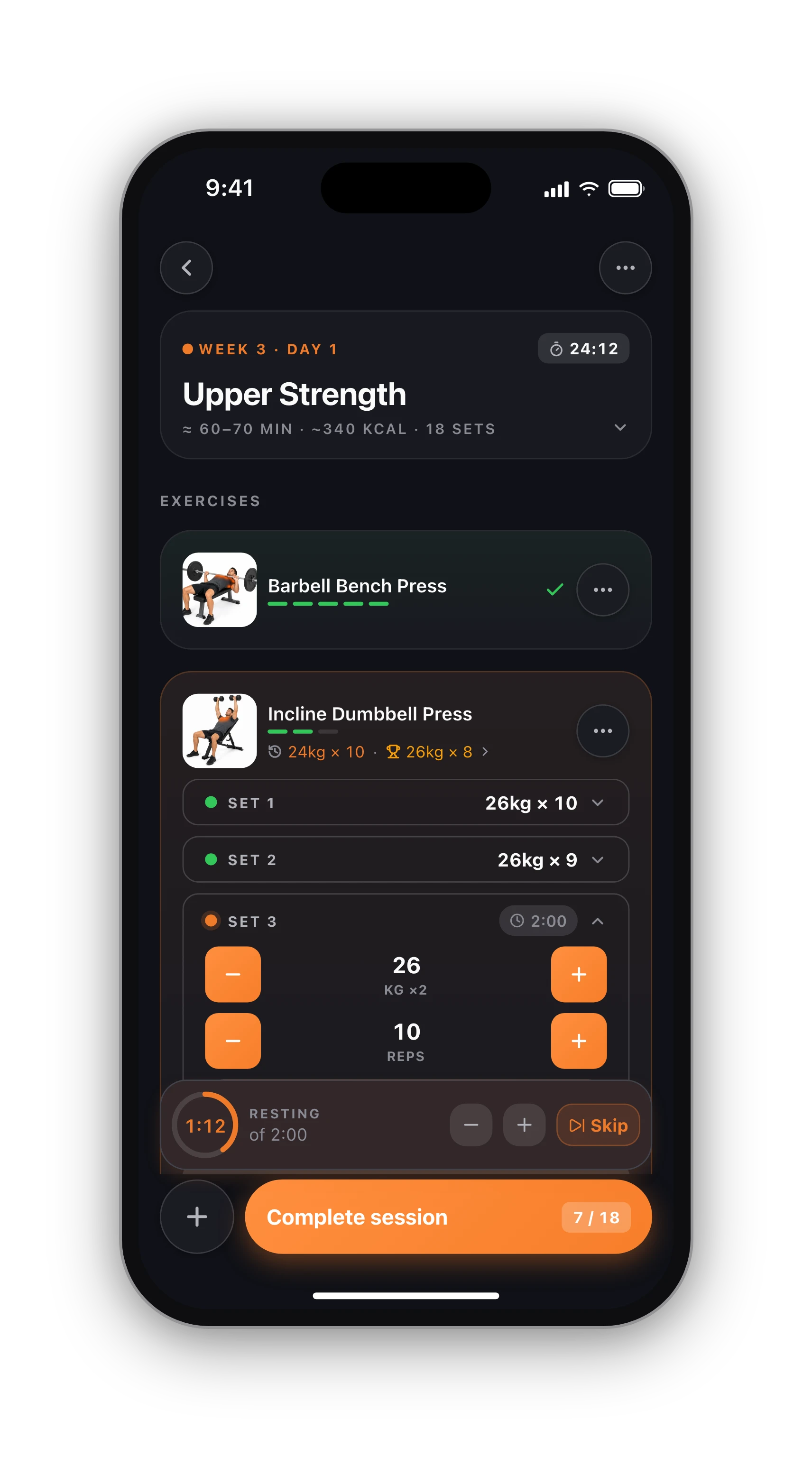
Strava is great for runs and rides and weak at the gym: a weight training activity there is a timer and a blank box. Log your sets in HyperBody and each session reaches your feed with its exercises, every set and the totals.
Free · iPhone and Android
Auto
Every finished session
Set by set
In the description
Avg HR
With Apple Watch
Free
No Pro needed
What your followers see.
Each finished session becomes a Weight Training activity with its real start time and the exact time from your first set to the end. The title says when and what you trained, from the muscles you worked most, such as "HyperBody - Saturday Afternoon Shoulders, Biceps & Triceps". The description carries the rest:
- Total volume lifted, duration and the number of exercises
- Calories: measured from Apple Health when there is a reading, estimated otherwise
- Average heart rate, when your Apple Watch or Apple Health recorded the session
- How many personal records you set
- Every exercise with each set, for example "Set 1: 6 reps x 60 kg", and supersets grouped
Connect in a minute.
In the app, open Settings, then Connections, and tap Connect next to Strava. Sign in to Strava and allow HyperBody to upload. That is all: from the next session on, every workout you finish is sent automatically. On the web, the same connection is in your profile.
Prefer to choose? Turn off Auto-push sessions and the end of each workout shows a Push to Strava button instead, so only the sessions you pick go out. Sending one twice never posts twice. HyperBody only sends; it never reads your Strava data.
Logged a run, a ride or a yoga class in HyperBody instead of a gym session? Those go to Strava too, each as its closest Strava sport type (Run, Ride, Swim, Walk, Hike, Row, Yoga, Pilates), titled with the sport and the time of day. If Strava access ever expires, the Strava row in Settings says so and reconnects in one tap.
Heart rate that is really yours.
If you train with the Apple Watch app, the watch records your heart rate throughout, and the Strava activity gets your average heart rate. We only attach it when the readings really cover the session; a watch left on the bench never turns into a flat line of resting heart rate. On Android, sessions reach Strava with every set and the totals, without heart rate for now.
Strength makes runners and riders better.
Two or three strength sessions a week are among the most recommended additions to an endurance plan: stronger legs and hips hold your form late in a race and make the body more resilient to the mileage. The worry that lifting kills endurance, or the reverse, is mostly overstated when the two are spaced sensibly; see the interference effect explained.
If you are new to the weights room, Full Body 3-day fits around a running week: three short sessions, mostly machines and dumbbells. With everything on Strava, your training log shows the whole week, not just the miles.
Lift once, post everywhere.
01
Install HyperBody
Free on iPhone and Android. Sign up with Apple, Google or email.
02
Connect Strava
Settings, Connections, Strava, Connect. Allow the upload on Strava's page.
03
Finish a workout
Log your sets and tap Finish. The session appears on your Strava feed with every set.
Know what's free before you sign up.
Free, with no time limit
Log every workout, build your own routines, follow the 8 ready programs, and keep your full history, records and charts. No card needed.
What Pro adds
An AI training plan that adapts to what you lift, full physique reports from photos, form checks inside the app and AI recipes. Trial included.
Straight answers.
Yes. Once Strava is connected, every session you finish is posted on its own, with no button to press. If you would rather pick, switch off Auto-push sessions in Settings and push each session yourself from the end of the workout.
Yes. With auto-push off, the end of each workout shows a Push to Strava button, and on the phone you can also push a finished session later from that day on the calendar. Only the sessions you push are posted.
It is a normal Weight Training activity, so it shows in your feed and training log with its elapsed time, like one recorded on Strava. It adds no distance. How Strava totals weight training on your profile is up to Strava.
In Settings, Connections, tap Disconnect under Strava. New sessions stop being posted and HyperBody's access is revoked on Strava's side. Activities already on Strava stay there until you delete them in Strava.
Yes. Connecting Strava and posting every session is part of the free tracker on iPhone, Android and the web. You never need Pro for it.
iPhone, Apple Watch and Android.
HyperBody runs on iPhone with an Apple Watch app, and on Android. Your workouts, programs and records follow your account, and the web app shows the same data.