AI workout planner
An AI workout planthat keeps up with you.
Tell it your goal, your days, your equipment and what hurts. Get weeks of training with a weight on every set, recalculated from what you actually lift after every session.
iPhone, Android and web · try the free generator first
4 to 20
Weeks per plan
3 to 6
Training days a week
Every
Session recalculates the plan
Free
Generator and 8 programs
A few questions, then the plan.
First, the question most people ask: do you need photos? Not to get a plan. The free plan generator and our 8 ready programs ask for no photos and no account. The adaptive AI plan in the app is the one exception: it starts from one physique scan, for a reason explained further down this page.
The questionnaire takes a few minutes and covers what a good coach would ask on day one:
- Goal: build muscle, get stronger, lose fat, or recomposition
- Schedule: 3 to 6 days a week, on the weekdays you pick, and 45 minutes to 2 hours per session
- Experience: beginner, novice, intermediate or advanced
- Equipment: a full gym, home basics (dumbbells and bodyweight) or bodyweight only
- Your lifts: squat, bench and deadlift if you know them, plus other lifts you know your numbers for
- Injuries and exercises to avoid, in your own words
Every week written, every set weighted.
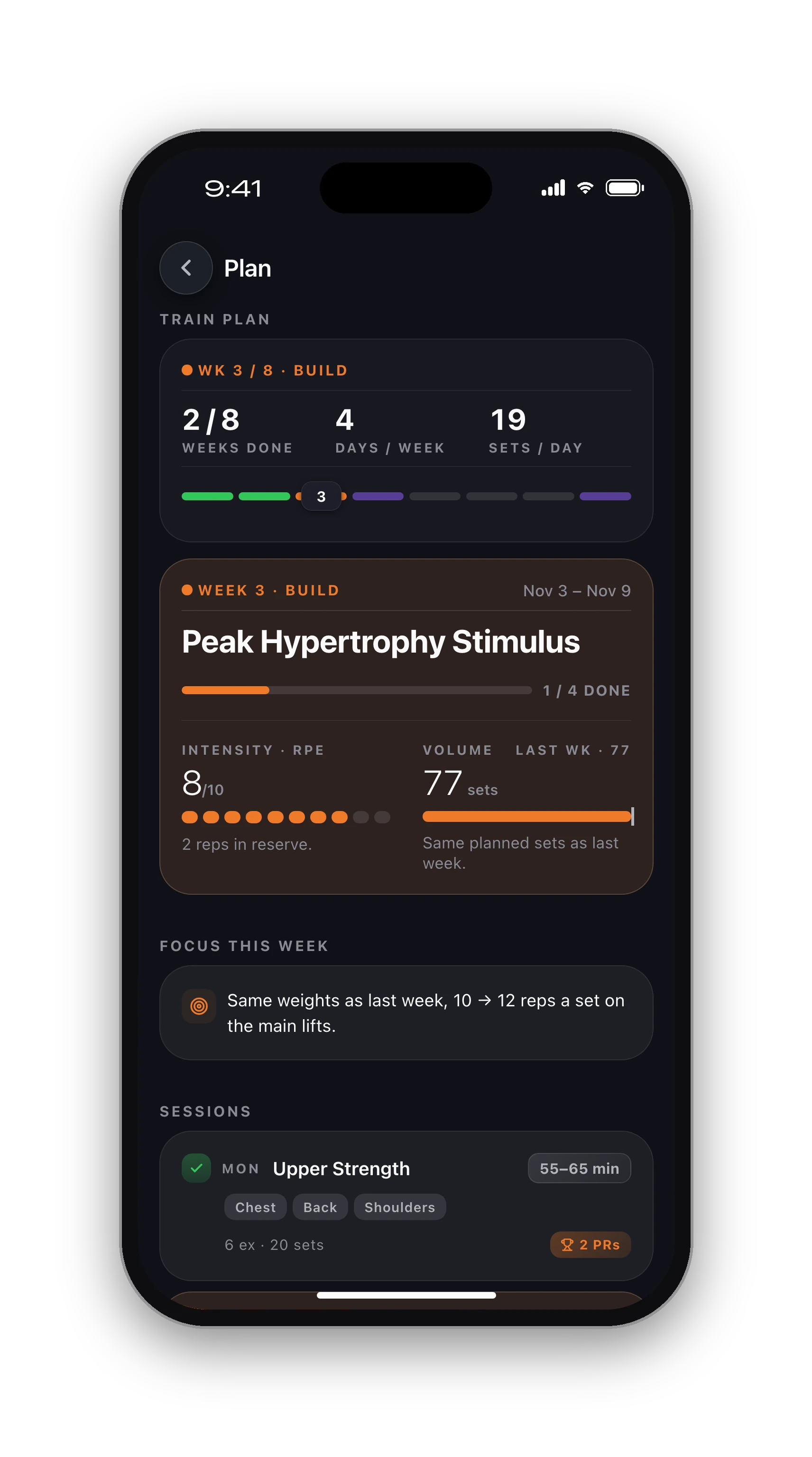
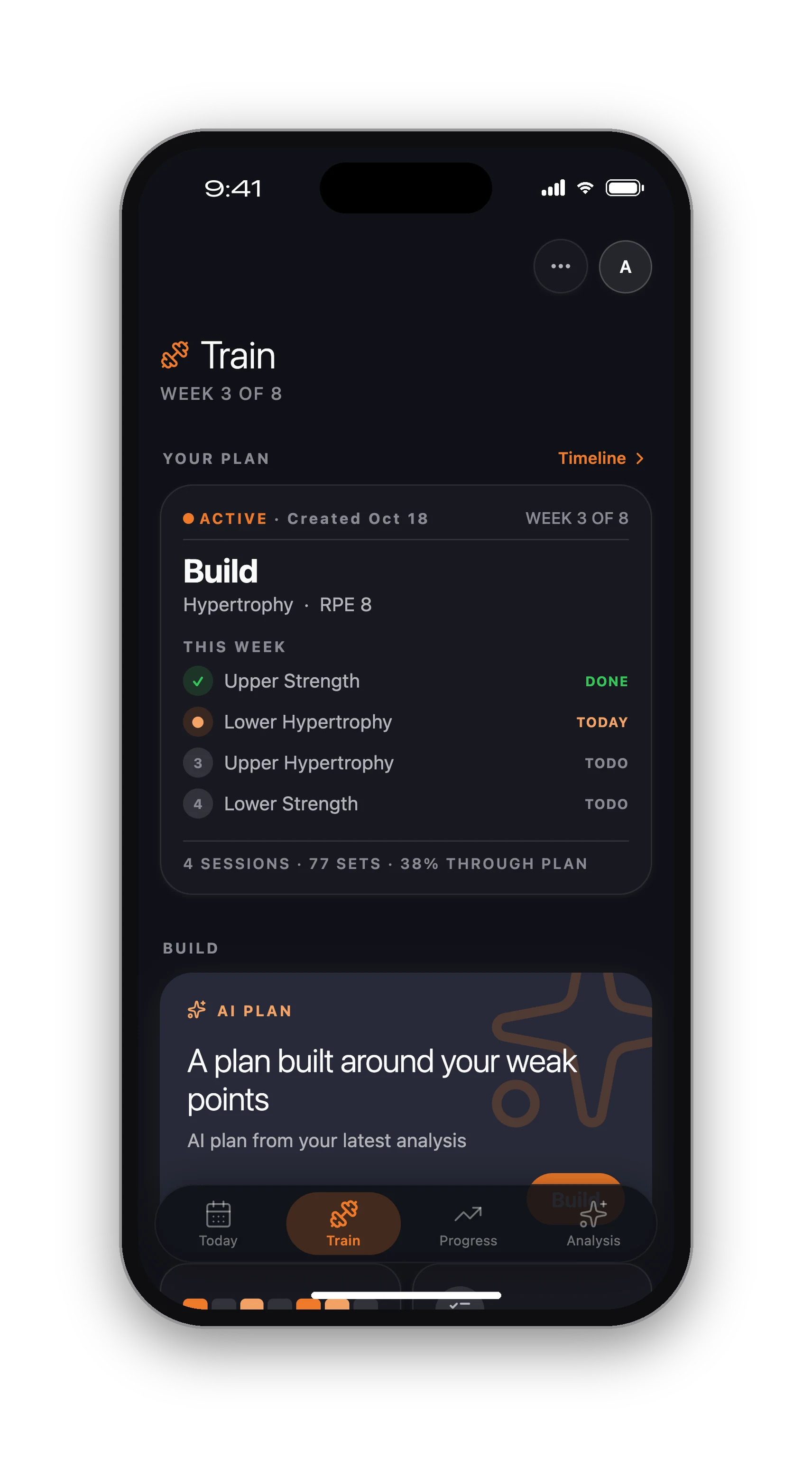
The plan runs 4 to 20 weeks, split into blocks of about four weeks, each ending in a lighter deload week. Every session lands on your calendar on the days you chose, and every set has a target: reps, effort and a weight in kilos or pounds, not a vague "pick something heavy".
Exercises come from our own exercise library, filtered to your equipment, so a home plan never asks for a cable machine. The weights themselves are worked out by plain math from your known lifts, not guessed by the AI.
The plan moves when you do.
Most plans are written once and go stale by week three. Here, every time you finish a session, the app recalculates every week you have not started yet from what you actually lifted.
Inside a block the weight stays put and the reps carry the progress: 4 × 8, then 4 × 10, then 4 × 12 at the same weight. Beat the plan twice and the next block starts a step heavier. Lift clearly less than planned and the weight comes down right away, so you are never chasing numbers from a bad guess. Deload weeks are deliberately light and never count against you.
On strength goals the pattern flips: the weight climbs as the reps drop from 5s toward 2s. Either way, you never have to work out your own progression. More on how to build a program that progresses.
It works around what hurts.
Write your injury the way you would tell a coach ("left knee, no deep lunges") and the plan reads it. Exercises that conflict with it are swapped for the closest safe option, and lifts that load the area start lighter.
In the app you can also protect a body area, such as a shoulder, the lower back or a knee, and choose between keeping heavy loading off it or keeping the exercises but going lighter. The rule holds when you swap or add exercises later too. It is a training tool, not treatment: if something hurts, talk to a physio first.
Your weak points get trained first.
The AI plan is built on a physique scan: five photos that score your muscle groups and rank the ones that lag. Those weak points get their own exercises and more weekly sets, so the plan fits the body you have rather than an average one. It is the part a generic program cannot do.
The scan is needed only for the AI plan. Logging, routines and programs never ask for a photo, and if you would rather not upload any, the free options below give you a solid plan without one.
Not ready for Pro? Start here.
The AI plan is part of Pro, with a trial. Before that, the free plan generator builds a weekly split from your goal, experience, equipment and days in a few seconds, no sign-up. The 8 free programs go further: install one and every set and rep lands on your calendar, ready to log.
Wondering whether an app can replace a coach? Read AI fitness coach vs personal trainer and what a personal trainer costs in 2026. Comparing apps? See HyperBody vs Fitbod and our smart coaching page.
From questions to your first session.
01
Answer the questionnaire
Goal, days, session length, equipment, experience, known lifts and injuries. A few minutes.
02
Get your weeks
The plan lands on your calendar with every set, rep and weight, blocks and deload weeks included.
03
Log and let it adjust
After each session the weeks you have not started are recalculated from what you actually lifted.
Know what's free before you sign up.
Free, with no time limit
Log every workout, build your own routines, follow the 8 ready programs, and keep your full history, records and charts. No card needed.
What Pro adds
An AI training plan that adapts to what you lift, full physique reports from photos, form checks inside the app and AI recipes. Trial included.
Straight answers.
For programming, it can come close: a good AI plan sets your weekly volume, picks exercises for your equipment and adjusts the weights from your logs, which is most of what you pay a trainer for between sessions. It cannot watch every rep in person or push you on a bad day. Many people use both.
Not for the free options: the plan generator and the 8 programs need no photos. The adaptive AI plan in the app is built from one physique scan (five photos), so it can give your weakest muscles more work. The tracker itself never asks for a photo.
Describe it in the questionnaire. The plan swaps out exercises that conflict with it and starts the affected lifts lighter. In the app you can also protect a body area and choose to avoid heavy loading there or go lighter. If something hurts, see a physio before you train it.
You choose 4 to 20 weeks in the questionnaire (trial plans go up to 12). The plan is split into blocks of about four weeks, each ending with a lighter deload week, and the weights of every week you have not started are recalculated as you train.
The adaptive AI plan is part of Pro, with a trial. Free without time limits: the no-signup plan generator on the web, the 8 built-in programs with every set and rep, your own routines, and all the logging, history and records in the app.
The plan follows you down. If you clearly lift less than prescribed, the weight drops right away for the weeks ahead, so the next session is one you can actually do. If you beat the plan twice, the next step up comes sooner. Deload weeks are never read as a bad session.
Keep going.
Free plan generator
A weekly split in seconds, no sign-up and no photos.
Open8 free programs
Full body, push pull legs, upper lower and more, set by set.
OpenSmart coaching
How the adaptive plan works inside the app.
OpenHyperBody vs Fitbod
Two AI training apps, compared honestly.
OpenAI coach vs personal trainer
What each does better, and when to pick which.
OpeniPhone, Apple Watch and Android.
HyperBody runs on iPhone with an Apple Watch app, and on Android. Your workouts, programs and records follow your account, and the web app shows the same data.


A plan that keeps up with you.
Answer a few questions and train with weights that follow what you lift. Logging is free.
Build my plan