Free workout log template
A free workout log template.Print it or open it in a spreadsheet.
A printable sheet for the gym and a CSV that opens in Google Sheets, Excel and Numbers. No sign-up, no email: download it and start writing.
Free · no sign-up · CSV and printable sheet

Free
No sign-up, no email
2
Printable sheet and CSV
A4
And US Letter paper
12
Spreadsheet columns
Opens in Excel, Google Sheets and Numbers
One row per set.
The printable sheet keeps it simple: write the date and the workout at the top, then one line per set with the exercise, the set number, the weight, the reps and a short note. That is everything you need to beat last week.
The CSV has one row per set too, with a few more columns so it also works for timed and cardio work. The first rows are an example push day: replace them with your own sets.
- Date and Workout Name: when you trained and what you call the session (Push, Upper A). Every set of one workout shares both
- Duration: how long the session took, for example 55m
- Exercise Name and Set Order: the exercise, and 1, 2, 3 for its sets in the order you did them
- Weight and Reps: pick kg or lb and stick to it. The file has no unit column, so mixing them ruins your history
- Seconds and Distance: for timed sets (a 40-second plank) or a row on the rower; leave them empty for normal sets
- Notes, Workout Notes and RPE: a cue for that exercise, a line about the whole day, and how hard the set was from 1 to 10
What a filled-in week looks like.
Here is the week from our 3-day push pull legs program: push on Monday, pull on Wednesday, legs on Friday. Each exercise starts with the sets and rep range below; your job on the sheet is to write in the weight you used and the reps you actually got.
Notice the rep ranges. When you hit the top of the range on every set, add a little weight next time. That one rule is most of what a log is for.
- Monday, Push: machine chest press 3 × 8-10, incline dumbbell bench press 3 × 10-12, cable fly 3 × 12-15, machine shoulder press 3 × 10-12, lateral raise 3 × 12-15, rope pushdown 3 × 12-15
- Wednesday, Pull: lat pulldown 3 × 8-10, cable row 3 × 10-12, dumbbell row 3 × 10-12, face pull 3 × 12-15, dumbbell curl 3 × 10-12
- Friday, Legs: leg press 4 × 8-12, dumbbell Romanian deadlift 3 × 10-12, leg extension 3 × 12-15, seated leg curl 3 × 12-15, standing calf raise 3 × 12-15, plank 3 × 40 s
How to see progress on a sheet.
Before each session, look at the same workout last week and write the number to beat beside each exercise. That is the whole system: a little more weight or one more rep than last time, at the same clean form.
The simplest rule is double progression: stay at one weight until you reach the top of the rep range on every set, then add the smallest jump you can (2.5 kg on a barbell, the next dumbbell up) and start again from the bottom of the range. Circle each new best in the margin so you can find your records later.
Paper gets slow when you want to compare months. In a spreadsheet you can filter one exercise and chart its best set over time. Read more on tracking progressive overload.
What an app does that paper can't.
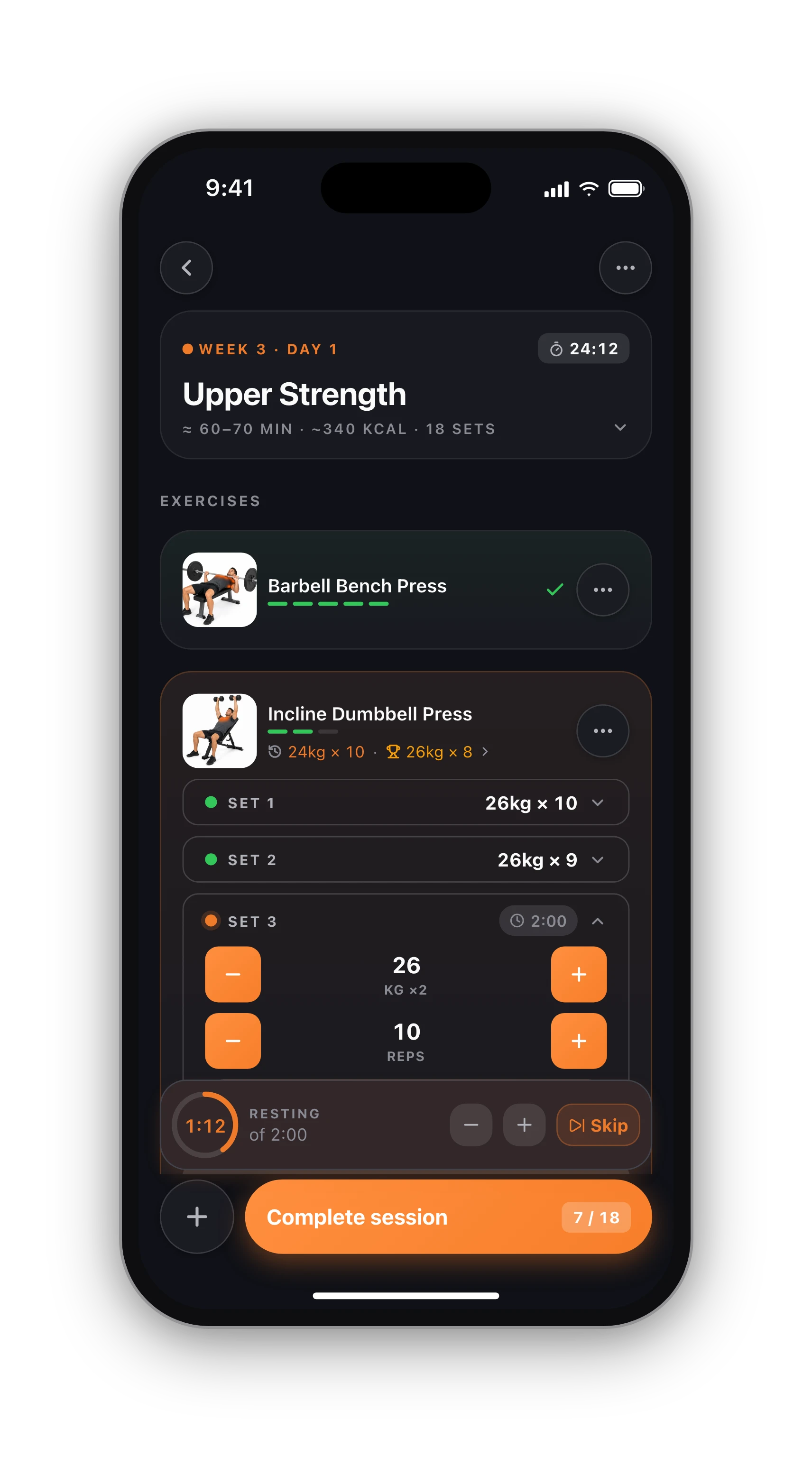
A sheet is a fine way to start, and plenty of strong people never use anything else. But at some point flipping back three pages to find last Monday's bench press gets old. Here is what a workout tracker app does for you, plainly said:
- Last session's top set and your best set appear under every exercise, so there is no page flipping
- The rest timer starts when you tick a set and runs on your lock screen and Apple Watch
- Records are spotted for you, and estimated one-rep max and weekly volume are charted
- Programs land on your calendar with every set and rep already written in
Columns that travel with you.
We did not invent these columns. They follow the layout of the CSV that the Strong app exports, a common format that many lifting apps can read. So the time you spend filling in this sheet is not locked in a file only you can use: if you move to an app later, check whether it imports a Strong-style CSV.
Keep one row per set, dates in the same format as the example (year-month-day, then the time), and one unit for weight, and the file stays easy to sort, chart and carry over.
From download to first logged week.
01
Download or print
Get the CSV for Google Sheets, Excel or Numbers, or print the sheet on A4 or Letter. No sign-up.
02
Log every set
One line per set: exercise, set number, weight, reps and a short note. Keep one unit for weight.
03
Beat last week
Before each session, copy last week's numbers beside each exercise and aim for one more rep or a little more weight.
Know what's free before you sign up.
Free, with no time limit
Log every workout, build your own routines, follow the 8 ready programs, and keep your full history, records and charts. No card needed.
What Pro adds
An AI training plan that adapts to what you lift, full physique reports from photos, form checks inside the app and AI recipes. Trial included.
Straight answers.
Yes. The CSV opens directly in Excel and Numbers, and in Google Sheets with File, Import, Upload. Keep the first row as it is, delete the example sets, and add one row per set you do. Freeze the header row and you can filter by exercise to see your history.
Anything you need next time to repeat or beat the set: the seat height, grip width, a cue that worked, or that a rep was not clean. Keep how the whole day felt (sleep, energy, time of day) for the Workout Notes column, so the per-exercise notes stay short.
Write last week's numbers next to each exercise before you start, then try to beat them by one rep or a small weight jump. When you hit the top of the rep range on every set, raise the weight and start again at the bottom of the range. Circle each new best.
The columns follow the CSV that the Strong app exports, a format many lifting apps can read, so a filled-in file stays portable. Check your app's import options before you switch, keep one unit for weight, and keep dates in the same format as the example rows.
RPE is rate of perceived exertion: how hard a set was on a 1 to 10 scale, where 10 means you could not do another rep and 8 means about two reps were left. It is optional. Leave the column empty if you do not use it.
Keep going.
Workout tracker app
When paper gets slow: last time's numbers under every exercise.
OpenProgressive overload tracker
How to know, not guess, that you are getting stronger.
Open3-day push pull legs
The program behind the sample week, set by set.
OpenFree workout programs
Eight complete programs you can copy onto the sheet.
OpenDouble progression
The simplest way to progress your lifts on paper.
OpeniPhone, Apple Watch and Android.
HyperBody runs on iPhone with an Apple Watch app, and on Android. Your workouts, programs and records follow your account, and the web app shows the same data.


Prefer an app? Start free.
The same log, with last time's numbers, a rest timer and records done for you. Free on iPhone and Android.
Prefer an app? Start free