PR tracker
Every PR,caught as it happens.
Your best set sits under each exercise while you lift, the summary lists every record you beat and by how much, and each exercise keeps its own records and history, all without a spreadsheet.
Free · iPhone and Android

Per lift
Records for every exercise
+kg
Margin on each new record
History
Every session per exercise
Free
Records and charts
What counts as a record.
"PR" means different things to different lifters, so HyperBody keeps several, each per exercise, and each read from every session you have logged:
- Heaviest weight: the most you have lifted for any number of reps
- Best estimated one-rep max: what your best set predicts for a single
- Best set: the set with the highest estimated max, for example 100 kg × 8 beating 105 kg × 4
- Most reps, for bodyweight exercises, and longest hold, for timed ones like the plank
- Best volume: the most total weight × reps you have moved on that exercise
The record to beat, in front of you.
Under every exercise in a session, a trophy marks your all-time best set next to your top set from last time. You know before you load the bar what a record attempt would take. When you finish the exercise, the line becomes a set-by-set comparison with last session, so you see right away where you moved forward.
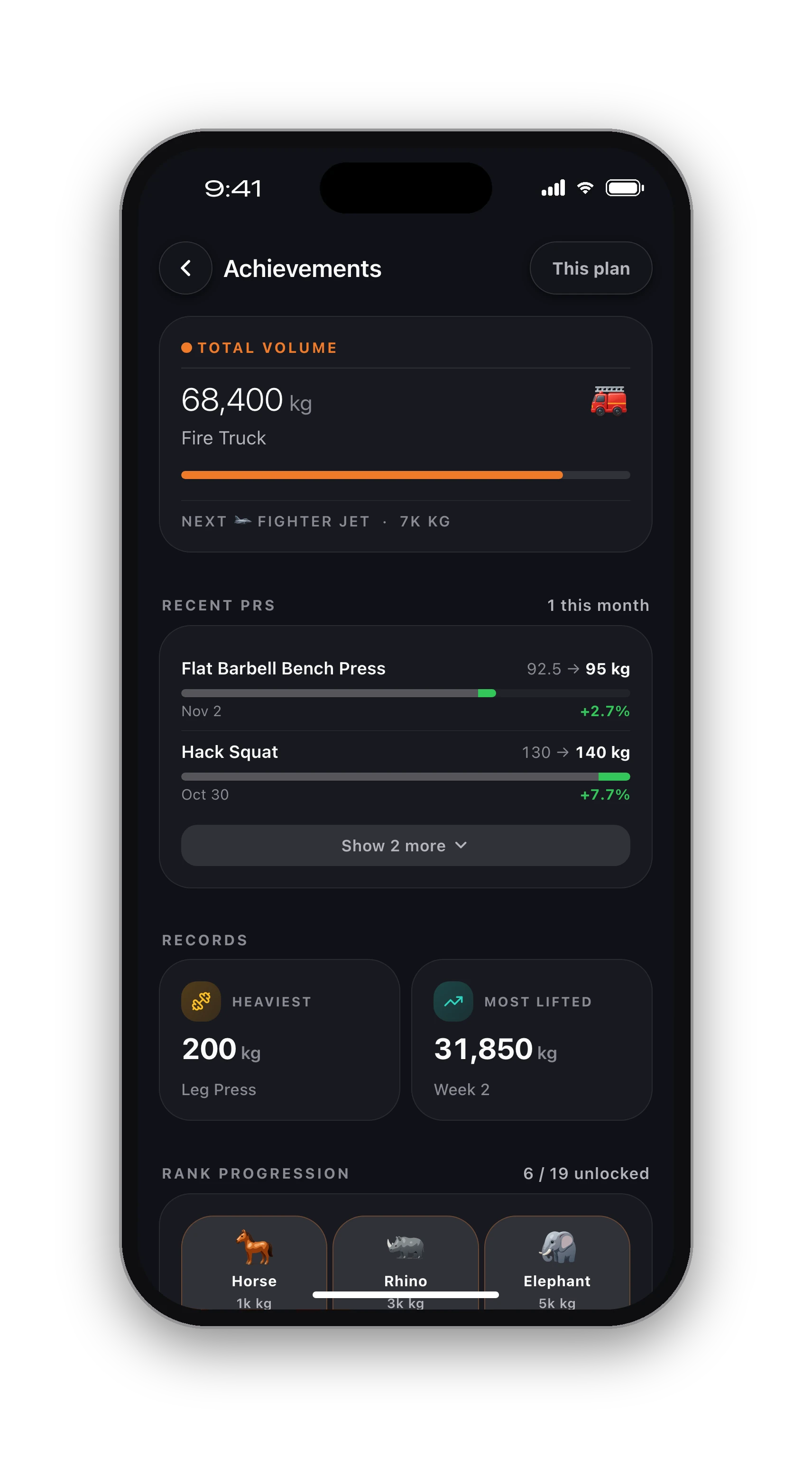
At the end of the workout, the summary lists each new record: the lift, the new weight and how far past your previous best it went, such as +2.5 kg. The first time you do an exercise sets your baseline; records start from the second session.
Each exercise's history and records.
Open an exercise from a session or the library and its Progress view shows the records listed above, a chart of your estimated max over the range you choose, and every session you did it in with its sets. Tap the last-time line in a session and it opens straight there.
Across all lifts, the Progress tab counts your records this month and all time and charts your main lifts, so a good month is visible as a good month. The all-time best under each exercise counts every plan you have followed, so switching programs never resets your best bench to zero.
Records you can trust.
A record list is only useful if one typo cannot wreck it. Weights outside anything a human could lift are ignored when new records are worked out, so a slip of the thumb never sets a bar you will never beat. Variations are kept apart, so an incline bench press record never overwrites your flat bench. Work out what a set means for your max with the one-rep max calculator, and for the bigger picture see the strength training tracker.
Lift, finish, see the record.
01
Log your sets
Weight and reps, or time. Your best set shows under the exercise as you go.
02
Finish the workout
The summary lists each lift you beat, with the margin over your previous best.
03
Look back any time
Each exercise keeps its records, its chart and every session you did it in.
Know what's free before you sign up.
Free, with no time limit
Log every workout, build your own routines, follow the 8 ready programs, and keep your full history, records and charts. No card needed.
What Pro adds
An AI training plan that adapts to what you lift, full physique reports from photos, form checks inside the app and AI recipes. Trial included.
Straight answers.
No. Each exercise keeps its own records, so incline bench, flat bench and dumbbell bench are tracked separately. That keeps every record honest: a lift only competes with the same lift. Use the one-rep max calculator to compare across variations if you want to.
Yes. For bodyweight exercises the record is the most reps in a set, and for timed ones such as the plank or wall sit it is the longest hold. Add weight to a pull-up or dip and your heaviest set counts too.
Fix the set while the session is open; a set you already ticked can still be edited. Weights beyond anything a person could lift are ignored when new records are worked out, so an obvious typo never sets an impossible record.
A PR is something you actually did, like 100 kg for 5. An estimated max is what that set predicts you could lift once, about 117 kg here. HyperBody keeps both, because a set of 8 can be a better day than a heavier triple.
Because there is nothing to beat yet. Your first session with an exercise sets the baseline. From the next session on, any lift heavier than before is listed as a new record with the margin.
iPhone, Apple Watch and Android.
HyperBody runs on iPhone with an Apple Watch app, and on Android. Your workouts, programs and records follow your account, and the web app shows the same data.